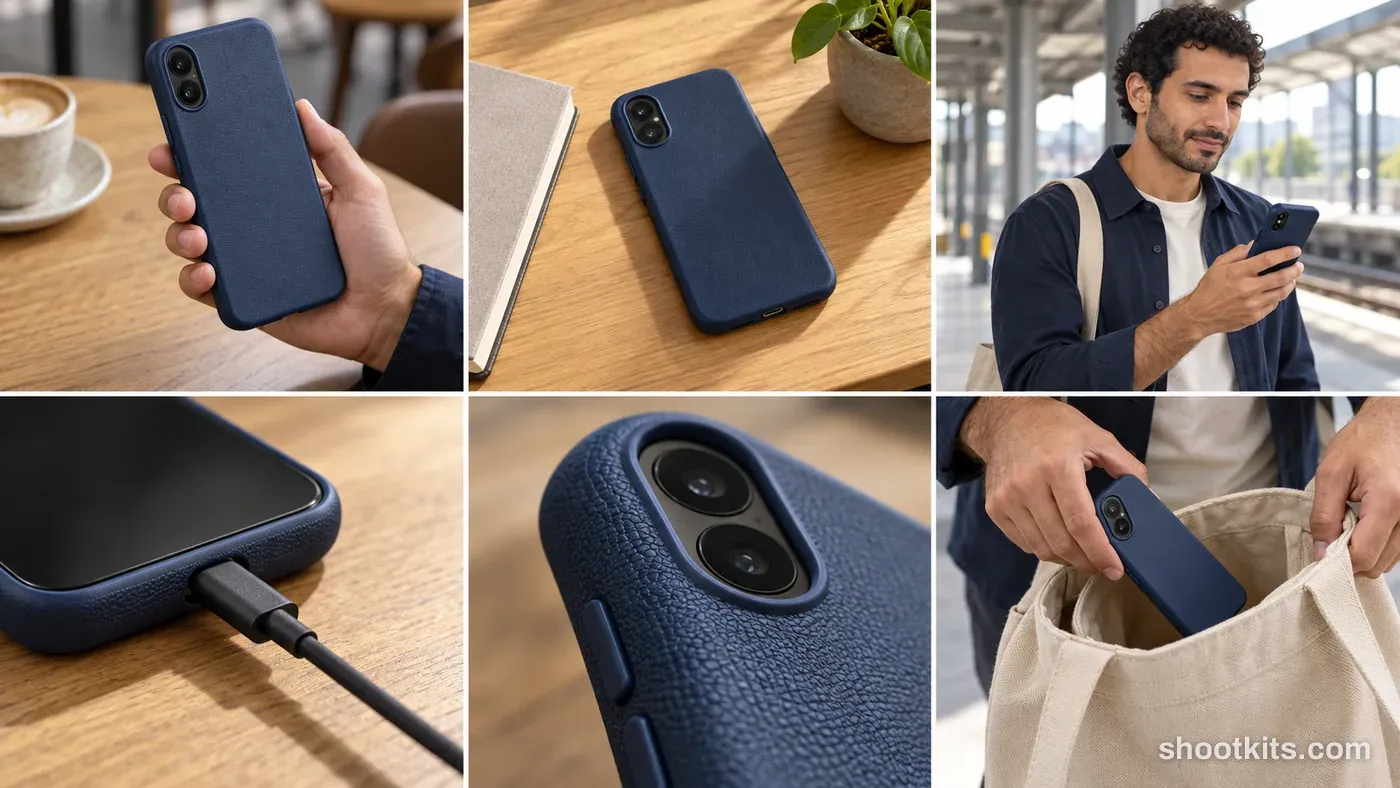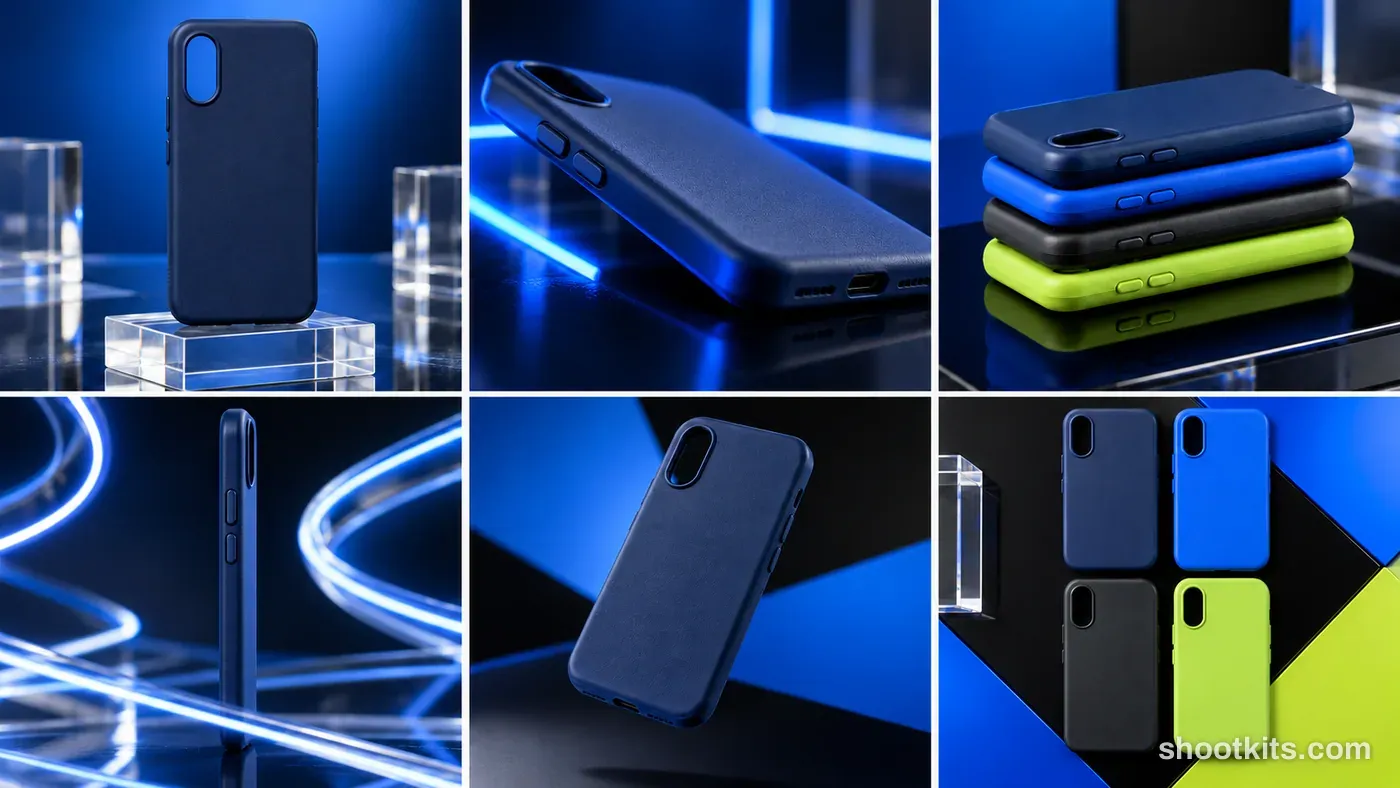
Tech accessory clean product campaign
- 6 shots
- Clean product
- Product only
- Landscape grid
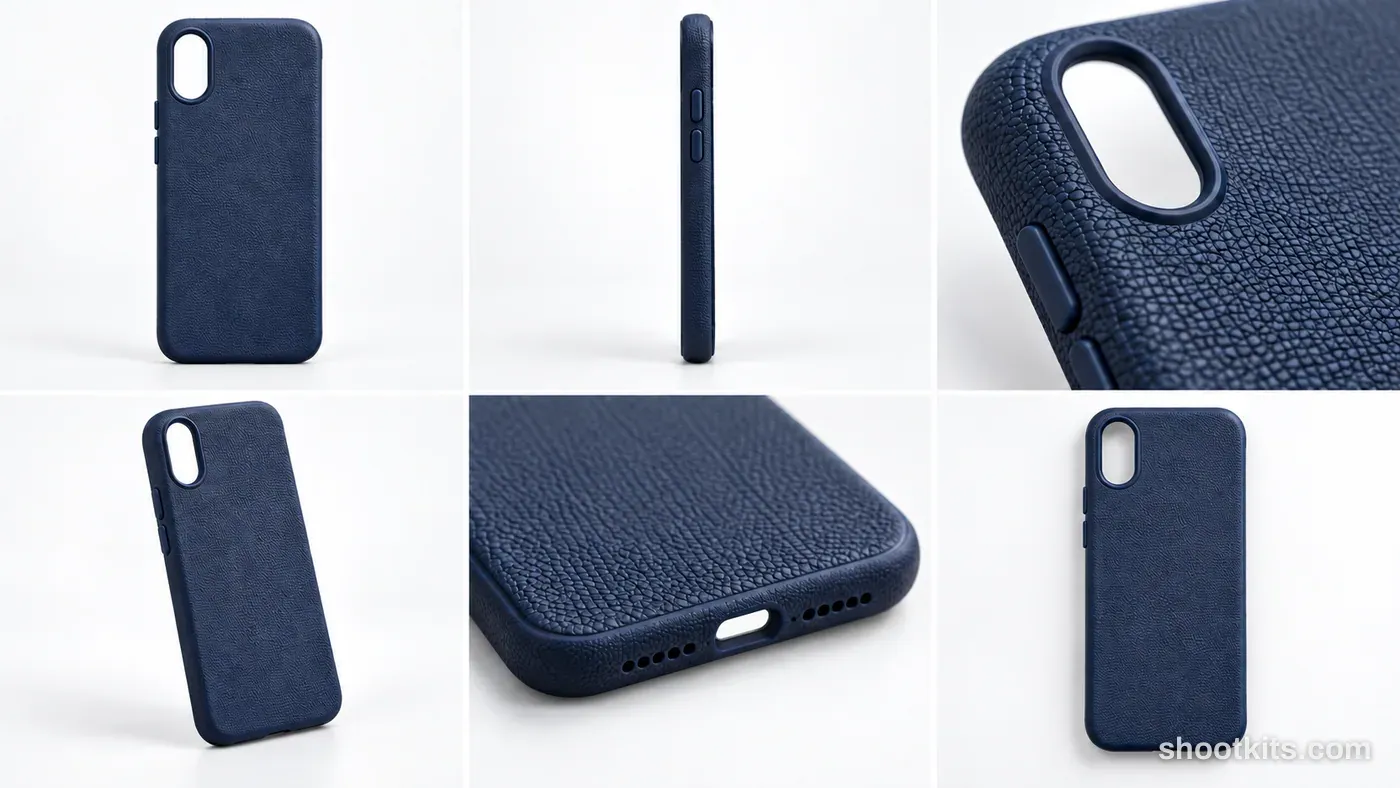
A clear product story helps shoppers understand a phone case before they buy it. This six-image board brings together its overall shape, side profile, finish, and openings, making it useful for listing galleries or a collection introduction. Textured cases and simple protective covers suit the restrained studio treatment especially well. Give ChatGPT sharp front, back, and edge photographs of your own case, and ask it to preserve every cutout rather than borrowing the example's construction.
Describe your tech accessory in a few words. Still attach your product photo in ChatGPT.
Attach your product photo before you paste the prompt. A plain background and even light give the most accurate result.
Shot list
Want one shot at full size? Open it and copy its prompt on its own.
R1C1Product heroShow the complete hero product in its natural presentation with realistic contact shadow
Create one photorealistic campaign photograph, not a grid. Input: ONLY [PRODUCT REFERENCE / PRODUCT DESCRIPTION]. Campaign route: Clean product. Creative concept: Precise accessory photography: six views reveal fit, cut-outs, texture, ports and finish. Example art direction: Cool white seamless studio, soft top light and crisp edge reflections. Example palette: white, cool grey and true product colors. Derive the final colors, casting, styling and set from the supplied product. No separate outfit, model or location input is required. Product-only board. No model or person in any panel. Preserve the product reference's exact design, color, material, geometry, construction, size, packaging and visible branding. Inspect the actual case cut-outs, buttons, edges, cable connectors, LEDs and materials; any phone shown is generic with no logos and a blank or neutral screen. Adapt any shot involving a pump, cap, cuff, sleeve, strap, container, animal or ingredient to what actually exists; do not invent absent features, accessory products, ingredients, performance claims or internal mechanisms. Example colors and materials are creative cues: substitute the supplied product's true characteristics. Keep skin, fur, hands, fabric behavior, scale, physical contacts, reflections and shadows plausible. No captions, panel numbers, invented logos, watermark or screenshot UI. Shot R1C1: Product hero. Action: Show the complete hero product in its natural presentation with realistic contact shadow. Camera: eye-level front. Framing: product-only full view. Where a subject is present, reuse the campaign's internally generated hero for face, animal and styling continuity. Product-only framing contains no human or animal. Full-body framing includes complete head and feet; full-animal framing includes complete head, tail and paws.R1C2Side formShow a distinct side viewpoint preserving real product geometry
Create one photorealistic campaign photograph, not a grid. Input: ONLY [PRODUCT REFERENCE / PRODUCT DESCRIPTION]. Campaign route: Clean product. Creative concept: Precise accessory photography: six views reveal fit, cut-outs, texture, ports and finish. Example art direction: Cool white seamless studio, soft top light and crisp edge reflections. Example palette: white, cool grey and true product colors. Derive the final colors, casting, styling and set from the supplied product. No separate outfit, model or location input is required. Product-only board. No model or person in any panel. Preserve the product reference's exact design, color, material, geometry, construction, size, packaging and visible branding. Inspect the actual case cut-outs, buttons, edges, cable connectors, LEDs and materials; any phone shown is generic with no logos and a blank or neutral screen. Adapt any shot involving a pump, cap, cuff, sleeve, strap, container, animal or ingredient to what actually exists; do not invent absent features, accessory products, ingredients, performance claims or internal mechanisms. Example colors and materials are creative cues: substitute the supplied product's true characteristics. Keep skin, fur, hands, fabric behavior, scale, physical contacts, reflections and shadows plausible. No captions, panel numbers, invented logos, watermark or screenshot UI. Shot R1C2: Side form. Action: Show a distinct side viewpoint preserving real product geometry. Camera: eye-level side. Framing: product-only full view. Where a subject is present, reuse the campaign's internally generated hero for face, animal and styling continuity. Product-only framing contains no human or animal. Full-body framing includes complete head and feet; full-animal framing includes complete head, tail and paws.R1C3Material detailShow one real material texture and construction detail
Create one photorealistic campaign photograph, not a grid. Input: ONLY [PRODUCT REFERENCE / PRODUCT DESCRIPTION]. Campaign route: Clean product. Creative concept: Precise accessory photography: six views reveal fit, cut-outs, texture, ports and finish. Example art direction: Cool white seamless studio, soft top light and crisp edge reflections. Example palette: white, cool grey and true product colors. Derive the final colors, casting, styling and set from the supplied product. No separate outfit, model or location input is required. Product-only board. No model or person in any panel. Preserve the product reference's exact design, color, material, geometry, construction, size, packaging and visible branding. Inspect the actual case cut-outs, buttons, edges, cable connectors, LEDs and materials; any phone shown is generic with no logos and a blank or neutral screen. Adapt any shot involving a pump, cap, cuff, sleeve, strap, container, animal or ingredient to what actually exists; do not invent absent features, accessory products, ingredients, performance claims or internal mechanisms. Example colors and materials are creative cues: substitute the supplied product's true characteristics. Keep skin, fur, hands, fabric behavior, scale, physical contacts, reflections and shadows plausible. No captions, panel numbers, invented logos, watermark or screenshot UI. Shot R1C3: Material detail. Action: Show one real material texture and construction detail. Camera: raking oblique macro. Framing: product-only macro. Where a subject is present, reuse the campaign's internally generated hero for face, animal and styling continuity. Product-only framing contains no human or animal. Full-body framing includes complete head and feet; full-animal framing includes complete head, tail and paws.R2C1Alternate viewpointRotate the viewpoint to show actual rear or alternate surface, no invented features
Create one photorealistic campaign photograph, not a grid. Input: ONLY [PRODUCT REFERENCE / PRODUCT DESCRIPTION]. Campaign route: Clean product. Creative concept: Precise accessory photography: six views reveal fit, cut-outs, texture, ports and finish. Example art direction: Cool white seamless studio, soft top light and crisp edge reflections. Example palette: white, cool grey and true product colors. Derive the final colors, casting, styling and set from the supplied product. No separate outfit, model or location input is required. Product-only board. No model or person in any panel. Preserve the product reference's exact design, color, material, geometry, construction, size, packaging and visible branding. Inspect the actual case cut-outs, buttons, edges, cable connectors, LEDs and materials; any phone shown is generic with no logos and a blank or neutral screen. Adapt any shot involving a pump, cap, cuff, sleeve, strap, container, animal or ingredient to what actually exists; do not invent absent features, accessory products, ingredients, performance claims or internal mechanisms. Example colors and materials are creative cues: substitute the supplied product's true characteristics. Keep skin, fur, hands, fabric behavior, scale, physical contacts, reflections and shadows plausible. No captions, panel numbers, invented logos, watermark or screenshot UI. Shot R2C1: Alternate viewpoint. Action: Rotate the viewpoint to show actual rear or alternate surface, no invented features. Camera: slightly high rear three-quarter. Framing: product-only full view. Where a subject is present, reuse the campaign's internally generated hero for face, animal and styling continuity. Product-only framing contains no human or animal. Full-body framing includes complete head and feet; full-animal framing includes complete head, tail and paws.R2C2Feature close-upShow a genuine visible feature, closure, rim or construction point
Create one photorealistic campaign photograph, not a grid. Input: ONLY [PRODUCT REFERENCE / PRODUCT DESCRIPTION]. Campaign route: Clean product. Creative concept: Precise accessory photography: six views reveal fit, cut-outs, texture, ports and finish. Example art direction: Cool white seamless studio, soft top light and crisp edge reflections. Example palette: white, cool grey and true product colors. Derive the final colors, casting, styling and set from the supplied product. No separate outfit, model or location input is required. Product-only board. No model or person in any panel. Preserve the product reference's exact design, color, material, geometry, construction, size, packaging and visible branding. Inspect the actual case cut-outs, buttons, edges, cable connectors, LEDs and materials; any phone shown is generic with no logos and a blank or neutral screen. Adapt any shot involving a pump, cap, cuff, sleeve, strap, container, animal or ingredient to what actually exists; do not invent absent features, accessory products, ingredients, performance claims or internal mechanisms. Example colors and materials are creative cues: substitute the supplied product's true characteristics. Keep skin, fur, hands, fabric behavior, scale, physical contacts, reflections and shadows plausible. No captions, panel numbers, invented logos, watermark or screenshot UI. Shot R2C2: Feature close-up. Action: Show a genuine visible feature, closure, rim or construction point. Camera: oblique macro. Framing: product-only close-up. Where a subject is present, reuse the campaign's internally generated hero for face, animal and styling continuity. Product-only framing contains no human or animal. Full-body framing includes complete head and feet; full-animal framing includes complete head, tail and paws.R2C3Top-down arrangementArrange the same complete product neatly from above without adding extra copies or unsupported accessories
Create one photorealistic campaign photograph, not a grid. Input: ONLY [PRODUCT REFERENCE / PRODUCT DESCRIPTION]. Campaign route: Clean product. Creative concept: Precise accessory photography: six views reveal fit, cut-outs, texture, ports and finish. Example art direction: Cool white seamless studio, soft top light and crisp edge reflections. Example palette: white, cool grey and true product colors. Derive the final colors, casting, styling and set from the supplied product. No separate outfit, model or location input is required. Product-only board. No model or person in any panel. Preserve the product reference's exact design, color, material, geometry, construction, size, packaging and visible branding. Inspect the actual case cut-outs, buttons, edges, cable connectors, LEDs and materials; any phone shown is generic with no logos and a blank or neutral screen. Adapt any shot involving a pump, cap, cuff, sleeve, strap, container, animal or ingredient to what actually exists; do not invent absent features, accessory products, ingredients, performance claims or internal mechanisms. Example colors and materials are creative cues: substitute the supplied product's true characteristics. Keep skin, fur, hands, fabric behavior, scale, physical contacts, reflections and shadows plausible. No captions, panel numbers, invented logos, watermark or screenshot UI. Shot R2C3: Top-down arrangement. Action: Arrange the same complete product neatly from above without adding extra copies or unsupported accessories. Camera: top-down. Framing: product-only full view. Where a subject is present, reuse the campaign's internally generated hero for face, animal and styling continuity. Product-only framing contains no human or animal. Full-body framing includes complete head and feet; full-animal framing includes complete head, tail and paws.
How to use this kit
- Photograph your tech accessory. Use a plain background and soft, even light. A phone photo is fine if it's sharp.
- Open ChatGPT and attach the photo. Use a model that can create images.
- Paste the full campaign prompt and send it. You get a 6-panel grid. Use the shot list above to make any panel at full size.
- Fix details in the same chat. If something changed, reply with what to keep, for example: “Keep the label exactly as in my photo.”
More tips in How it works.
Questions about this kit
- What does the tech accessory clean product campaign prompt create?
- It creates one 6-panel campaign grid in ChatGPT: product hero, side form, material detail, alternate viewpoint, feature close-up and top-down arrangement. Every panel shows your own tech accessory, so the set works as one consistent campaign.
- Can I make one of the shots at full size?
- Yes. Each of the 6 shots has its own prompt in the shot list on this page. Open the shot you want, copy its prompt and send it with your product photo to get that panel as a full-size image.
- Are there people in the photos?
- No. This is a product-only board, which suits listings, catalogues and ads where the tech accessory should be the only subject.
- Will ChatGPT keep my tech accessory exactly as it is?
- The prompt tells ChatGPT to treat your photo as the source of truth and to protect the cut-outs, buttons, connectors, texture and finish. If a detail still changes, reply in the same chat: “Keep the cut-outs exactly as in my photo.”